Sale!
ADC(Automatic Drawing Creator)
Inventor ADC (Automatic Drawing Creator)_General
Inventor ADC (Automatic Drawing Creator)_Drawing Document
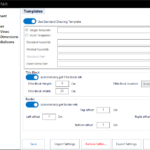
Inventor ADC (Automatic Drawing Creator)_Templates
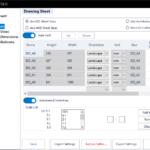
Inventor ADC (Automatic Drawing Creator)_Drawing sheet
Inventor ADC (Automatic Drawing Creator)_Sheet Sizes
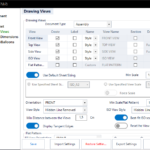
Inventor ADC (Automatic Drawing Creator)_Drawing Views
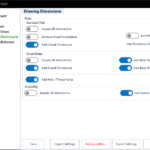
Inventor ADC (Automatic Drawing Creator)_Drawing dimensions
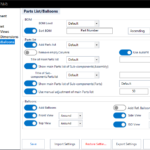
Inventor ADC (Automatic Drawing Creator)_Parts list and Balloons
Inventor ADC (Automatic Drawing Creator)_Title Block and Border
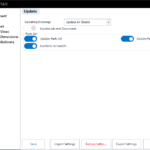
Inventor ADC (Automatic Drawing Creator)_Update
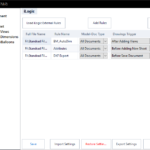
Inventor ADC (Automatic Drawing Creator)_iLogic
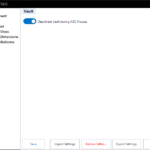
Inventor ADC (Automatic Drawing Creator)_Vault
ADC(Automatic Drawing Creator)
, ,

Automatic Drawing Creator (ADC)

Rated 5.00 out of 5 based on 2 customer ratings
(2 customer reviews)

29,99 

VAT exempted according to UStG §19

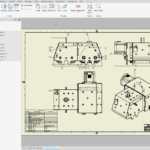
Generate drawings from 3D models automatically, reducing manual work and ensuring consistency across projects

SKU: N/A Categories: , ,

Inventor ADC

Introduction

Inventor ADC (Automatic Drawing Creator) is a handy tool for Autodesk® Inventor® users who want to create 2D drawings quickly and efficiently. It is a remarkable timesaver for those who need to create drawings regularly.

Reclaim Your Design Time: Automate 2D Drawings with Inventor ADC.

Stop wrestling with tedious 2D drawing creation in Autodesk® Inventor®. Inventor ADC (Automatic Drawing Creator) is your intelligent solution for rapid, consistent, and error-free drawing generation. Imagine cutting hours from your workflow, freeing you to focus on innovation and design excellence.

Why Inventor ADC?

  • Lightning-Fast Drawing Creation: Instantly generate production-ready 2D drawings from your Inventor models, eliminating repetitive manual tasks.
  • Unmatched Customization: Tailor every aspect of your drawings with granular control over templates, views, dimensions, annotations, and more. Adapt to any project’s unique requirements.
  • Consistent Quality, Every Time: Ensure accuracy and standardization across all your documentation, reducing errors and streamlining manufacturing.
  • Seamless Integration: Works flawlessly within your Autodesk® Inventor® environment, making it a natural extension of your design process.
  • Transform your design workflow: Let Inventor ADC handle the details so you can focus on the big picture.

Background

2D drawings play a crucial role in documenting the design and adding important information to the product. They clearly and accurately represent the product’s geometry, dimensions, and other critical details. This information is essential for manufacturing, assembly, and quality control processes. Moreover, 2D drawings communicate between different stakeholders involved in the product development cycle, including designers, engineers, manufacturers, and customers.

Creating 2D drawings in Autodesk® Inventor® can be time-consuming, taking away valuable time from other projects and design improvements.

General Usage Instructions

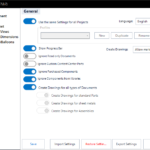
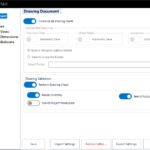
Inventor ADC (Automatic Drawing Creator) opens up a world of possibilities with its customizable settings, designed to meet your unique workflow. Users can influence every aspect of the drawing creation process, allowing them to create 2D drawings that align perfectly with their goals and specifications.

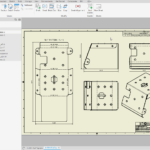
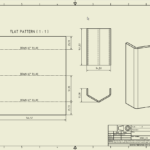
Inventor ADC makes it super easy to create drawings for all kinds of Inventor documents, whether you’re working with parts, assemblies, or sheet metals. You can enjoy dynamic drawing views and templates, plus the dimensions and annotations you need. It’s pretty straightforward to customize settings like the sheet size, drawing scale, and view orientation. And don’t forget, you can also add parts lists and balloons to keep everything organized!

One of the great perks of using Inventor ADC is that you can easily customize the settings to match the needs of each project, so you won’t have to make adjustments later on. It saves your settings for each project, letting you enjoy different configurations tailored to your workflow.

To enhance each user’s workflow, Inventor ADC features an ilogic section that empowers them to integrate external ilogic rules. These rules can be activated for various document types at key moments during the ADC drawing creation process. Allowing for a truly customized and inspiring approach to their work.

Automates the process of detecting and creating drawings for parts and assemblies. Thanks to the innovative new features of Inventor ADC, users can now effortlessly detect missing drawings. This empowers them to pause the drawing creation process whenever needed and seamlessly continue from where they left off.

Inventor ADC  has friendly default settings that make it super easy for users to jump right into creating drawings without wasting time on adjustments. You can start having fun with ADC immediately after setting it up no extra tweaks needed!

How it works 

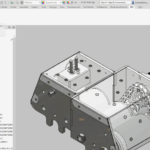
Inventor ADC (Automatic Drawing Creator) can be started directly from an Assembly or Part Document in Autodesk® Inventor®
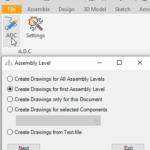
When you launch ADC from Assembly, you can choose to create drawings for all levels of the assembly. This means you can include every document within the assembly, just the first assembly level, or only the current assembly document. Inventor ADC understands your BOM, guiding you in creating the necessary drawings while also allowing you the freedom to tailor settings to your vision.

Inventor ADC  presents innovative concepts for the drawing creation process, enhancing the capabilities of Autodesk® Inventor® and empowering creators to reach new heights.

Overview: https://youtu.be/XWoRR8oPh60

Inventor ADC Playlist: https://youtu.be/IJGmu39Hlbw?si=pJ6Uz_f8zuV1lTb2

Description of each function in Inventor ADC: ADC Settings

Installation/Uninstallation

Installation guide: https://youtu.be/8Sb7y-XD9qI?si=v8kJ8u1E4Jyfm5Ca

The Add-in works for Autodesk® Inventor® releases since 2020.
The installer that ran when you downloaded this app/plug-in will start installing the app/plug-in. OR double-click the downloaded installer to install the app/plugin.

You can unload the plugin without uninstalling it by unchecking the “Loaded/Unloaded” checkbox associated with the plugin in the Inventor Add-In Manager. You may have to restart Inventor to unload the application completely.

To uninstall this plug-in, exit the Add-in if you are currently running it, simply rerun the installer, and select the “Uninstall” button. OR you can uninstall it from ‘Control Panel/Programs and Features’ (Windows 7/8.1/10/11), just as you would uninstall any other application from your system.

**License Types**

License Type Validity Scope Key Feature
Single App/Yearly One year One Add-in (e.g., ADC only) Free updates
All Apps/Yearly One year All Add-ins (ADC, AutoSave, etc.) Free updates
Single App/Lifetime Lifetime One Add-in (e.g., ADC only) Includes 1 year of free updates
All Apps/Lifetime Lifetime All Add-ins (ADC, AutoSave, etc.) Includes 1 year of free updates

Each app offers a 15-day annual trial.
Licenses are floating, allowing users to sign in and out as needed.
Need help? Contact us
30-day money-back Guarantee!

Downloads

Version Number: 27.0.3
  • Update for Inventor 2027
Version Number: 27.0.1
  • Option: Drawing Validation, Model Directory, Search Workspace, Search Vault
  • Option: Border offsets
  • Option: Add Hole/Thread Notes
  • FP View Orientation FRONT View Added
  • Precise Drawing Area calculation
Version Number: 26.1.2
  • Option: Ignore Purchased Components
  • Option: Ignore library Components
  • Precise Model Size Calculation
  • Parts list: Optimised Workflow
Version Number: 26.0.7
  • Progress bar to stop the process anytime
  • Show Progress Bar option
  • Assembly Level -> Create drawings option
  • View Selector -> Use Current Orientation option
  • Match Front View and Flat Pattern Scales option
  • View Orientation -> Removed Bugs
  • Optimized workflow
Version Number: 26.0.5
  • Multi-Drawing Templates
  • ISO, ANSI, ARCH, and Custom Sheet sizes
  • Force Scale
  • FP View Orientation, CW & CCW Rotation
  • Parts list: Remove empty Columns
  • Parts list: AutoFit
  • Parts list: Update -> AutoFit
  • Vault: Deactivate/Activate
  • Add all Sheets in a single Drawing Document (IV 2020)
Version Number: 26.0.1
  • Cut section Views
  • Support for first and third projection angles
  • Optimised single ISO View
  • View Selector: Easy View control
  • Reset View Cube option
  • iLogic: Model Doc type -> (Part) is added
Version Number: 26.0.0
  • Update for Inventor 2026
  • Optimized workflow
  • Usage of predefined sheet
  • Find existing drawings and continue where the user last stopped.
  • Optimized ilogic/Update section
  • Different Drawing views for different documents 
  • Skip read-only Documents option 
  • Automated Centerline option 
  • Part View Style option 
  • Display Tangent Edges option 
  • Add Bend Dimensions 
  • Manual Border offset
  • Support for Inventor 2020
  • Run iLogic Rules at different events

2 reviews for Automatic Drawing Creator (ADC)

  1. dangduong.280201
    Rated 5 out of 5

    dangduong.280201 (verified owner)

    Great software

  2. Tecdraw
    Rated 5 out of 5

    Tecdraw (verified owner)

    Excellent software fast and perfect, support is super. I recommended for everyone

Only logged in customers who have purchased this product may leave a review.