
Slot Mid-Axisfor Autodesk Inventor
Create a centred work axis for any slot — in one click.
- One-click middle work axis for slots
- Axis stays centred even when slot parameters change
- Works in Assembly and Part documents
- Auto-renames the axis and tidies the browser


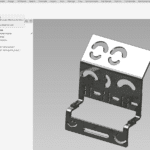
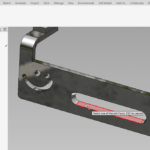
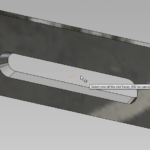
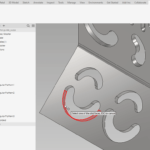
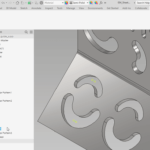
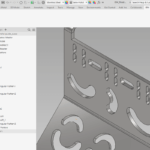
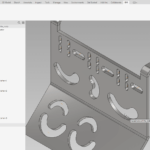
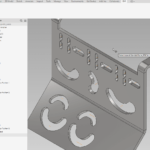
Inventor has no direct way to create a middle axis for a slot, which makes centring a hole to the middle of a slot awkward. The usual workaround — adding constraints based on the slot’s width and length — is time-consuming and breaks when the parameters change. SMA creates a stable, centred work axis in one click.
Mid-axis in one click
Select a slot face and SMA analyses it, picks the best method, and creates the middle work axis.
Stays centred
The axis always points to the middle of the slot — changing the slot’s parameters won’t move it.
Tidy by default
Renames the axis to its feature and rearranges the browser, in Assembly and Part documents alike.
At a glance
- Runs inAssembly & Part
- CreatesParametric middle work axis
- Free trial15 days, full access
- LicenceYearly or Lifetime
Capabilities
- InputSelect a slot face
- CreatesCentred work axis (parametric)
- DocumentsAssembly · Part
- Tidy-upAuto-rename + browser reorder
Compatibility
- Inventor2020 – 2027
- UpdatesLifetime includes 1 year free
- Guarantee14-day money-back
Download Slot Mid-Axis
Free 15-day trial — it starts automatically on install. Get the signed Windows installer from our Downloads page.
Only logged in customers who have purchased this product may leave a review.
Which documents does SMA work in?
Both Assembly and Part documents.
Does the axis update if I change the slot?
It stays in the middle of the slot regardless of parameter changes — it always points to the centre.
Is there a free trial?
Yes — 15 days with full access.
Pick the right plan.
Subscription
- 1 Inventor add-in
- Floating license
- All updates included
- Online + offline licensing
- Email support
Everything, every year
- All BLUE MECH add-ins, one floating license
- Future add-ins included
- All updates included
- Online + offline licensing
- Email support
One-time
- 1 Inventor add-in
- Floating license
- 1 year of free updates
- Online + offline licensing
- Email support
Everything, forever
- All BLUE MECH add-ins, one floating license
- Future add-ins included
- 1 year of free updates
- Online + offline licensing
- Email support
Floating license — each seat runs on any number of workstations, just one at a time.


Reviews
There are no reviews yet.