
Axcast für Autodesk Inventor
Übertragen Sie Ihre Modelle auf jedes beliebige Format.
- Alle auf Ihrem Inventor installierten Übersetzer – live erkannt, keine fest codierte Liste
- Eine ganze Baugruppe, eine Auswahl oder alles, was einem Filter entspricht, in einen Batch-Container umwandeln.
- STEP, IGES, SAT, Parasolid, STL, JT, PDF, DWG und DXF für Blechbearbeitung (flach)
- Ein Ordner pro Format, benannt nach Ihren eigenen Regeln
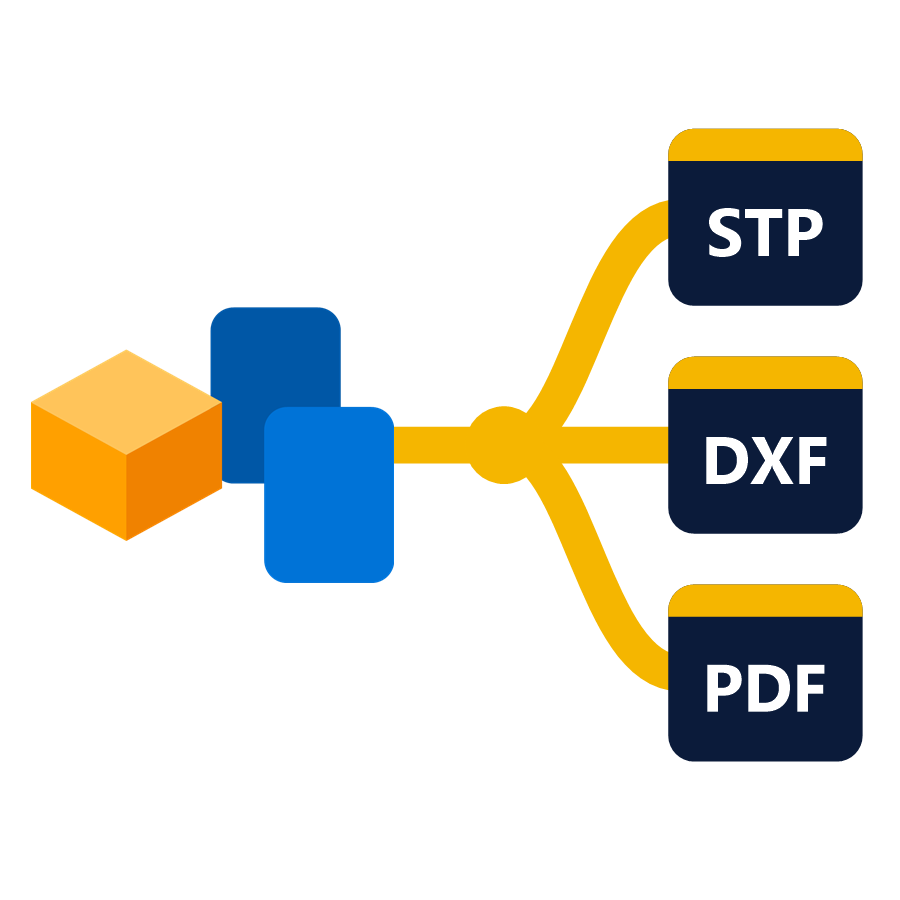
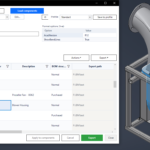
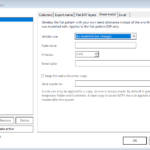
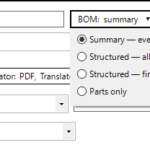
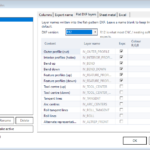
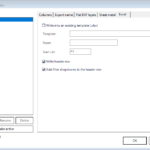
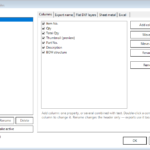
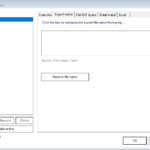
Ein Durchlauf, jedes Format
Wählen Sie die benötigten Formate aus und exportieren Sie sie gemeinsam. Mit einem einzigen Durchlauf können STEP-, STL- und DXF-Dateien (Abwicklung) für dieselben Bauteile erstellt werden, ohne dass drei Dialogfelder geöffnet oder die Baugruppe dreimal durchlaufen werden muss.
Formate erkannt, nicht angenommen
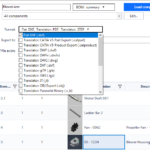
Axcast liest die in Inventor installierten Übersetzer aus und bietet diese mit ihren jeweiligen Optionen an. Nichts ist fest codiert, sodass ein später hinzugefügter Übersetzer einfach angezeigt wird.
Batch-Verfahren per Filter, nicht manuell
Exportieren Sie eine komplette Baugruppe, nur die von Ihnen ausgewählte Komponente oder jede Komponente, die einem Filter entspricht – mit der gleichen Komponentenfilter-Engine, die auch in den anderen Add-Ins verwendet wird.
Routing und Namensgebung – Sie haben die Kontrolle
Sende jedes Format in einen eigenen Ordner und benenne die Ausgabe anhand der Komponenteneigenschaften, damit die Dateien dort landen, wo der nächste Schritt sie erwartet, und nicht in einem einzigen Stapel.
Einstellungen Profile
Speichern Sie die Exporteinstellungen einmal und verwenden Sie sie wieder. Ein Kunde, der immer AP214 plus PDF benötigt, ist ein Profil – keine Checkliste, die sich jemand merken muss.
Auf einen Blick
- Läuft ausTeile-, Baugruppen- und Zeichnungsdokumente
- UmfangÜbereinstimmung der gesamten Baugruppe, der aktuellen Auswahl oder des Filters
- Inventor2022-2027
Formate
- ModellSTEP (AP203 / AP214 / AP242), IGES, SAT/ACIS, Parasolid, STL, JT
- ZeichnungPDF, DWG, DXF
- BlechDXF-Flachbild
- AndereJeder andere in Inventor installierte Übersetzer
Axcast herunterladen
Kostenlose 15-Tage-Testversion – startet automatisch bei der Installation. Laden Sie das signierte Windows-Installationsprogramm von unserer Website herunter. Downloadseite.
Nur angemeldete Kunden, die dieses Produkt gekauft haben, dürfen eine Rezension abgeben.
Welche Formate kann Axcast schreiben?
Was auch immer Ihr Inventor kann. Axcast liest die auf Ihrem System installierten Übersetzer, anstatt mit einer festen Liste zu arbeiten. Daher werden STEP (AP203, AP214, AP242), IGES, SAT/ACIS, Parasolid, STL und JT für Modelle, PDF, DWG und DXF für Zeichnungen sowie DXF für Blechabwicklungen unterstützt – und alles andere, was Ihre Installation hinzufügt.
Kann es eine komplette Baugruppe auf einmal exportieren?
Ja. Ein Durchlauf kann eine gesamte Baugruppe, nur die von Ihnen ausgewählten Komponenten oder alle Komponenten, die einem Filter entsprechen, umfassen.
Wo landen die Dateien am Ende?
Wohin auch immer Sie sie weiterleiten. Jedes Format kann in einen eigenen Ordner geschrieben werden, und die Ausgabenamen können aus den Komponenteneigenschaften erstellt werden, sodass ein Durchlauf mit zwanzig Formaten sortiert ankommt und nicht als ein einziger Haufen.
Muss ich das jedes Mal neu einrichten?
Nein – Exporteinstellungen werden als Profile gespeichert und wiederverwendet.
Wählen Sie den richtigen Tarif.
Abonnement
- 1 Inventor Add-in
- Floating-Lizenz
- Alle Updates inklusive
- Online- und Offline-Lizenzierung
- E-Mail-Support
Alles, jedes Jahr
- Alle BLUE MECH Add-ins, eine Floating-Lizenz
- Zukünftige Add-ins inklusive
- Alle Updates inklusive
- Online- und Offline-Lizenzierung
- E-Mail-Support
Einmalkauf
- 1 Inventor Add-in
- Floating-Lizenz
- 1 Jahr kostenlose Updates
- Online- und Offline-Lizenzierung
- E-Mail-Support
Alles, für immer
- Alle BLUE MECH Add-ins, eine Floating-Lizenz
- Zukünftige Add-ins inklusive
- 1 Jahr kostenlose Updates
- Online- und Offline-Lizenzierung
- E-Mail-Support
Floating-Lizenz – jeder Lizenzplatz kann auf beliebig vielen Arbeitsplätzen genutzt werden, aber immer nur an einem zur gleichen Zeit.

Browser Rearranger
Ordnet Browser-Knoten im Modellbrowser neu an
ab 9,99 €
Automatic Drawing Creator (ADC)
Automatische Zeichnungsableitung aus 3D-Modellen – weniger Handarbeit und einheitliche Zeichnungen über alle Projekte hinweg
ab 29,99 €
Workspace
Schneller Zugriff auf Ihre bevorzugten Ordner und Modelle
ab 9,99 €
Rezensionen
Es gibt noch keine Rezensionen.