
Sale!




Add-ins, Assemblies, Inventor, Parts
SMA (Slot Mid-Axis)
Original price was: 9,99 €.4,99 €Current price is: 4,99 €.
VAT exempted according to UStG §19
Creates Middle Axes for Slots
Inventor Slot Mid Axis
Introduction
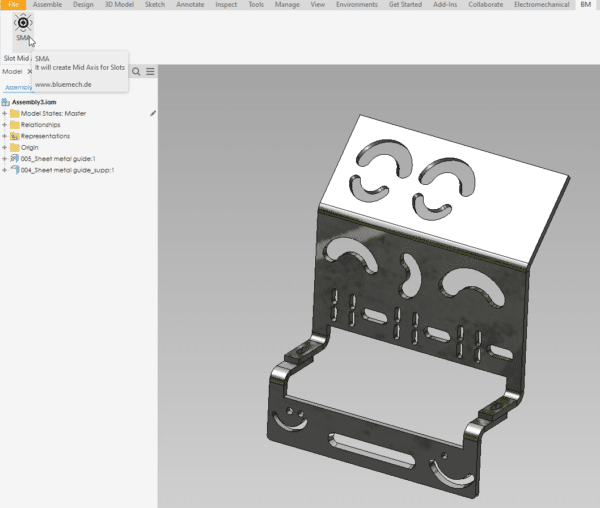
SMA (Slot Mid-Axis) is an add-in for Autodesk® Inventor®. it helps the users to quickly and efficiently create Center Axes for Slots, saving you a lot of time and efforts.
Background
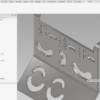
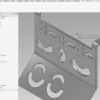
Autodesk® Inventor® doesn’t have a direct way to create Middle Axes for Slots, which can make it challenging to center a hole from one plate to the middle of a slot on another plate.
Users often add constraints based on the slots’ width and length, which can be time-consuming and require updates if the parameters change later.
General Usage Instructions
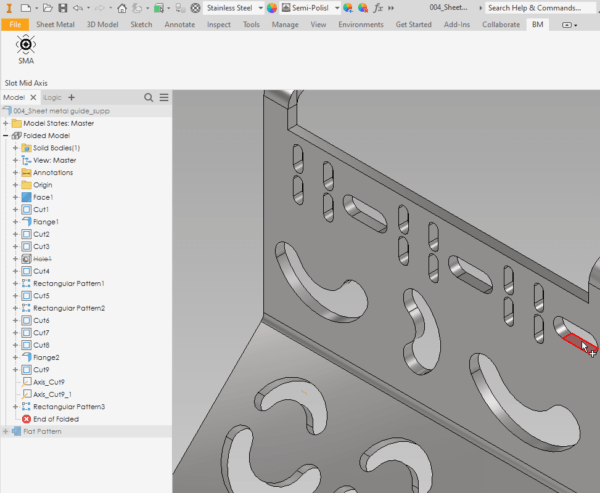
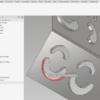
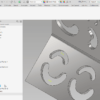
With SMA (Slot Mid-Axis), you can create a Middle Work Axis for Slots in just one click.
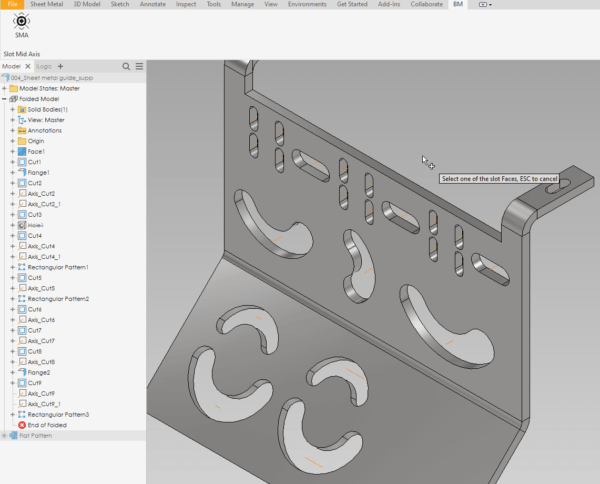
The created Axis will remain in the middle of the slot, and changing slot parameters won’t affect the created Axis.
It will always point to the middle of the slot, making it a convenient solution for centering holes from one plate to the middle of a slot on another plate in Autodesk® Inventor®.
How it works
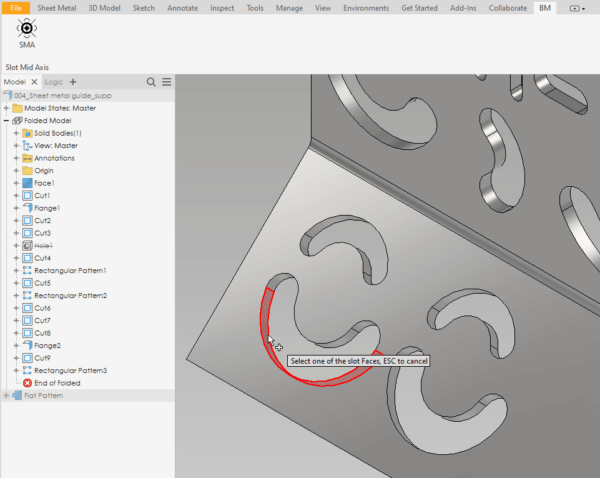
SMA (Slot Mid-Axis) can be started from both Assembly and Part Documents, allowing users to create a Middle Work Axis for their Slot in just one click regardless of the document type they are working on.
Overview: https://youtu.be/A0OT92wBaE4
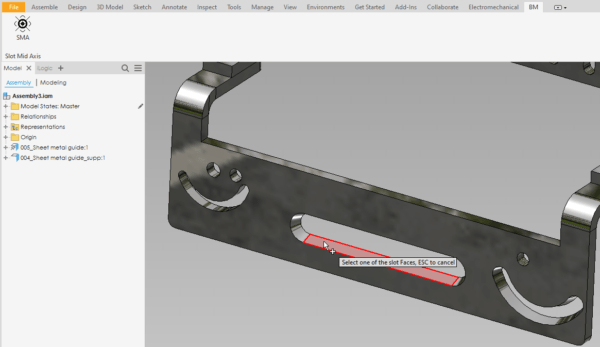
- The App will ask you to select one of the Slot faces.
- It will analyze your selection.
- Check the best way to create the Mid Axis.
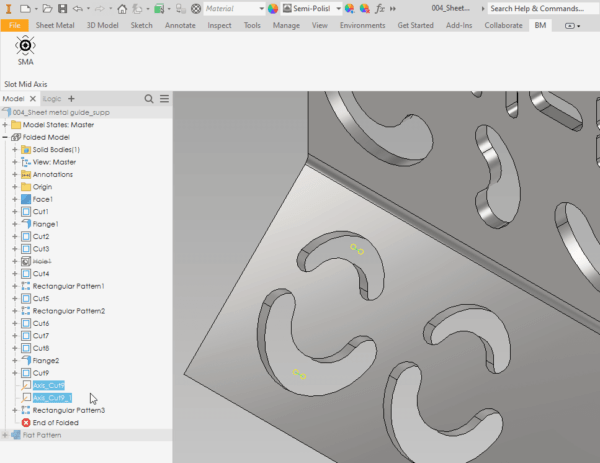
- Creates the Mid Axis.
- Renames the Axis to its Feature.
- Rearrange your Browser.
Installation/Uninstallation
Installation guide: https://youtu.be/8Sb7y-XD9qI?si=v8kJ8u1E4Jyfm5Ca
The Add-in works for Autodesk® Inventor® releases since 2020.
The installer that ran when you downloaded this app/plug-in will start installing the app/plug-in. OR double-click the downloaded installer to install the app/plugin.
You can unload the plugin without uninstalling it by unchecking the “Loaded/Unloaded” checkbox associated with the plugin in the Inventor Add-In Manager. You may have to restart Inventor to unload the application completely.
To uninstall this plug-in, exit the Add-in if you are currently running it, simply rerun the installer, and select the “Uninstall” button. OR you can uninstall it from ‘Control Panel/Programs and Features’ (Windows 7/8.1/10/11), just as you would uninstall any other application from your system.
**License Types**
| License Type | Validity | Scope | Key Feature |
| Single App/Yearly | One year | One Add-in (e.g., SMA only) | Free updates |
| All Apps/Yearly | One year | All Add-ins (ADC, SMA, etc.) | Free updates |
| Single App/Lifetime | Lifetime | One Add-in (e.g., SMA only) | Includes 1 year of free updates |
| All Apps/Lifetime | Lifetime | All Add-ins (ADC, SMA, etc.) | Includes 1 year of free updates |
Each app offers a 15-day annual trial.
Licenses are floating, allowing users to sign in and out as needed.
Need help? Contact us
30-day money-back Guarantee!
Downloads
| Select License | Single App/Yearly, All Apps/Yearly, Single App/Lifetime, All Apps/Lifetime |
|---|
Only logged in customers who have purchased this product may leave a review.
Related products
-
 Add-ins
SMDC(Sheet Metal Drawing Creator)
19,99 €VAT exempted according to UStG §19Select options This product has multiple variants. The options may be chosen on the product page -
Sale!
 Add-ins
AutoSave
Original price was: 9,99 €.4,99 €Current price is: 4,99 €.VAT exempted according to UStG §19Select options This product has multiple variants. The options may be chosen on the product page -
Sale!
 Add-ins
Drawing Assistant
Original price was: 19,99 €.14,99 €Current price is: 14,99 €.VAT exempted according to UStG §19Select options This product has multiple variants. The options may be chosen on the product page -
Sale!
 Add-ins
Browser Rearranger
Original price was: 9,99 €.4,99 €Current price is: 4,99 €.VAT exempted according to UStG §19Select options This product has multiple variants. The options may be chosen on the product page
Reviews
There are no reviews yet.