
Axion AI for Autodesk Inventor
Say it once. Run it any time.
- Say what you need in plain words, and Axion AI does it in Autodesk Inventor
- Save a job as a workflow and run it again with one click, without credits
- Ask BLUE MECH engineering questions, then let the AI make the change
- Connect your own AI app for big jobs, like rebuilding a STEP part as native features

Say it in plain words
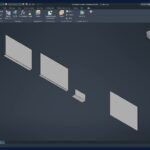
Open Axion AI from the ribbon and tell it what you need. It does the job in Autodesk Inventor with BLUE MECH's tested tools and shows you what it did. For many everyday jobs you need no iLogic and no programming. It never writes code.
Say it once. Run it any time.
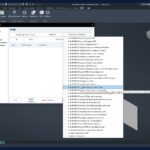
When a job works, save it as a workflow. Next time it runs with one click on any model it fits, with no AI and no credits. 30 ready-made BLUE MECH workflows are included, and ADC can run workflows while it creates your drawings.
You stay in control
Choose how much Axion AI may do on its own: Read-only, Ask, Auto or Full. Every change it makes in the model is its own undo step, a daily credit limit that you set stops AI spending for the day, and every answer shows what it cost.
Everyday jobs, done
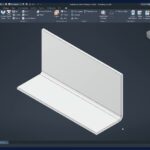
Flat sizes into iProperties, DXF of every sheet-metal part, STEP and PDF exports, parts lists to Excel, sheet numbers and revision rows.
Ask BLUE MECH
Ask our engineering consult a real design question, such as a bend radius, a material or a limit. In the panel it is part of the chat, at no extra charge. Then let Axion AI make the change you decide on.
Big jobs in your own AI app
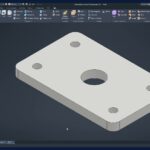
Connect the AI app you already use. It works in Autodesk Inventor through the same tested tools, for example to rebuild a STEP part as native features with history.
At a glance
- Runs inParts, sheet metal, assemblies and drawings; starts a presentation from an assembly
- InventorAutodesk Inventor 2027
- LicenceYearly or lifetime, Axion AI or All-Apps
- Credits1 € = 100 credits, bought in My Account; saved workflows run without credits
- InternetRequired
In the panel
- ModeAuto, Quick, Smart or Deep: how hard the AI thinks
- EcoFewer credits per task, sometimes a little slower
- PermissionsRead-only, Ask, Auto or Full
Download Axion AI
Axion AI runs with a licence and AI credits; it needs an internet connection. Get the signed Windows installer from our Downloads page.
What are credits?
Credits pay for the AI work: 1 € buys 100 credits. Most everyday jobs use a few credits, and every answer shows what it cost. Saved workflows run without credits. More about credits
Where do I buy credits and see my balance?
In My Account › Licences, under your Axion AI or All-Apps key. Top up any amount from 5 €.
Is Axion AI included in All-Apps?
Yes. An All-Apps licence includes Axion AI. Credits for the AI work are bought separately.
Is there a lifetime licence?
Yes. Axion AI Lifetime gives you access with no end date and 1 year of free updates. All-Apps Lifetime includes it together with every other BLUE MECH add-in. Credits are always bought separately.
Can a workflow run without credits?
Yes. Running a saved workflow uses no AI and no credits, also when ADC runs it while it creates drawings.
Can I use my own AI app?
Yes. Connect it in the Axion AI panel under AI › Set up…. Working through your own app uses no Axion credits; only Ask BLUE MECH does. How to connect
What happens to my CAD files?
They stay on your computer. Only what a task needs is sent, and pictures of your model only when you tick Screenshots. We only use AI providers that don't train on your data. Privacy and your data
Pick the right plan.
Subscription
- Axion AI in Autodesk Inventor
- Floating license
- All updates included
- Internet connection required
- AI credits bought separately
- Email support
Everything, every year
- All BLUE MECH add-ins, one floating license
- Includes Axion AI, credits extra
- Future add-ins included
- All updates included
- Email support
One-time
- Axion AI in Autodesk Inventor
- Floating license
- 1 year of free updates
- Internet connection required
- AI credits bought separately
- Email support
Everything, forever
- All BLUE MECH add-ins, one floating license
- Includes Axion AI, credits extra
- Future add-ins included
- 1 year of free updates
- Email support
Floating license — each seat runs on any number of workstations, just one at a time.

Automatic Drawing Creator (ADC)
Generate drawings from 3D models automatically, reducing manual work and ensuring consistency across projects
from €29.99
Copy Assistant
Copy Documents and its Drawings
from €
Model Assistant
One-click helpers for Autodesk Inventor parts and assemblies: BOM sort and reset, open the model's drawing, clean sketches,…
from €19.99