
Sheet Metal Drawing Creator for Autodesk Inventor
Master sheet metal tasks with ease.
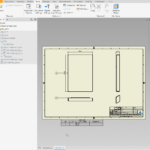
- Front, Top, Side and ISO views generated automatically
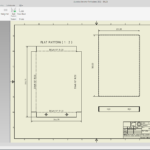
- A flat-pattern view added for every sheet-metal part
- STEP (assembly + parts) and DXF flat-pattern export
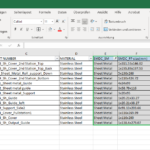
- Comprehensive parts list built in Excel


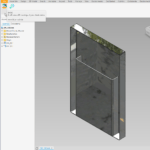
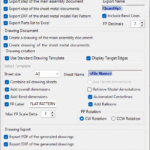
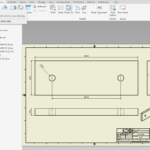
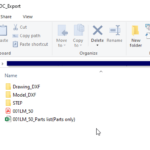
Spending hours producing 2D drawings and neutral-format exports for sheet-metal parts in Autodesk Inventor? Those drawings are essential for documentation and for the engineers and manufacturers downstream — but they take real time to create. SMDC streamlines that work, so you can spend your time on design instead.
Four standard views, automatically
Generates Front, Top, Side and ISO views of the main assembly straight onto the drawing sheet.
Flat-pattern views
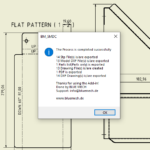
Detects each sheet-metal part that has a flat pattern and adds a dedicated flat-pattern view.
Every sheet-metal part covered
Checks all sheet-metal parts in the assembly BOM, so none is left out of the drawing set.
STEP + DXF export
Exports STEP files of the assembly and individual parts, and DXF files of the flat patterns — ready for manufacturing.
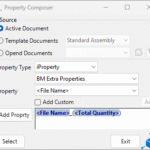
Property Composer naming
A dynamic naming engine that automates filename generation for the exported files.
At a glance
- Runs fromAssembly & Part documents
- OutputsDrawing · STEP · DXF · Excel BOM
- Free trial15 days, full access
- LicenceYearly or Lifetime
Output & formats
- ViewsFront · Top · Side · ISO (+ flat pattern)
- ExportsSTEP · DXF · PDF
- Parts listExcel BOM (with flat-pattern sizes)
- Sheet sizesISO · ANSI · ARCH
- ProjectionFirst & third angle
Compatibility
- Inventor2020 – 2027
- UpdatesLifetime includes 1 year free
- Guarantee14-day money-back
Download Sheet Metal Drawing Creator
Free 15-day trial — it starts automatically on install. Get the signed Windows installer from our Downloads page.
3 reviews for SMDC(Sheet Metal Drawing Creator)
Only logged in customers who have purchased this product may leave a review.
Where can I launch SMDC?
From both Assembly and Part documents in Autodesk Inventor.
What does SMDC export?
STEP files of the main assembly and individual sheet-metal parts, DXF files of the flat patterns, and a parts list in Excel.
Can I use my own drawing template?
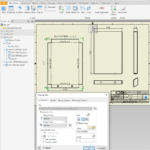
Yes — choose between a standard template or your own specified template in the settings.
Is there a free trial?
Yes — 15 days with full access.
Pick the right plan.
Subscription
- 1 Inventor add-in
- Floating license
- All updates included
- Online + offline licensing
- Email support
Everything, every year
- All BLUE MECH add-ins, one floating license
- Future add-ins included
- All updates included
- Online + offline licensing
- Email support
One-time
- 1 Inventor add-in
- Floating license
- 1 year of free updates
- Online + offline licensing
- Email support
Everything, forever
- All BLUE MECH add-ins, one floating license
- Future add-ins included
- 1 year of free updates
- Online + offline licensing
- Email support
Floating license — each seat runs on any number of workstations, just one at a time.



dangduong.triviet (verified owner) –
Very Good
Yair (verified owner) –
I’m really impressed with how well it works. It saves me a huge amount of time compared to doing the same tasks manually, and is easy to get used to.
The support team is also great, they respond very quickly and genuinely think along with you to find the best solution. It’s clear they care about improving the plugin and supporting their users.
Highly recommended to anyone who wants to speed up their work and make their design process more efficient!
fletchergianni (verified owner) –
Is there any way to have the flat pattern on its own separate sheet? And also when it creates all the DWG and PDF files is there a way to have it save the PDF AFTER i edit the drawing ( resize, add, delete dimensions) ?? Other that this i love it so far
Ashraf Mohamed (verified owner) –
Hi,
Thank you for the Feedback!
The current version of SMDC doesn’t have an option to create only the FP view. But you can use ADC(Automatic drawing creator), it has this feature. Or we can switch your license to All apps.
Adding this feature to SMDC is also possible.
Saving the drawings as PDF: for those wo use combined drawing sheets in one drawing document, just click save as PDF and it’s quickly exported to PDF. But for single drawing Documents, that would be a bit challenging, but can be done too.
Please feel free to contact [email protected], and we can chat about it.