
Model Assistantfor Autodesk Inventor
One-click helpers for parts and assemblies.
- BOM Sort and BOM Reset beside the Bill of Materials command, using the same sort as ADC
- Open the drawing of the part or assembly you are working on
- Clean Sketches removes projected geometry whose source is gone
- Includes Slot Mid-Axis and Content Center visibility, formerly SMA and CC Visuality


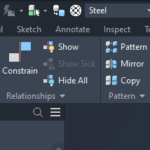
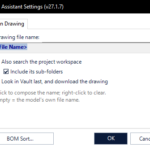
BOM Sort and BOM Reset
A BOM menu sits right beside the Bill of Materials command of Autodesk Inventor. BOM Sort orders every enabled BOM view with your saved sort setup. It runs the same sort as ADC and Drawing Assistant, so all three give the same order, and it takes one undo step. BOM Reset rebuilds a bill of materials that shows outdated data, without sorting or renumbering anything.
Open Drawing
Open the drawing of the active part or assembly without browsing for it. Model Assistant looks where you would: drawings already open in Autodesk Inventor, then the model's own folder, then the project workspace. You set the drawing's file-name pattern once in Settings.
Clean Sketches
Removes the broken projected geometry left in a part's 2D and 3D sketches: curves and points whose original face, edge or component is gone. Ordinary sketch geometry is never touched. It counts first, asks before deleting, and the clean-up is one undo step.
Slot Mid-Axis
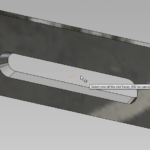
Pick a slot face and get a work axis through the slot's centre, with work points on both faces. It works in parts and assemblies, and it is the same tool that SMA used to offer.
Content Center visibility
Hide, show, suppress or unsuppress every Content Center part of an assembly in one click. Use it to see the structure without the screws, and to bring the screws back afterwards.
Origin work planes for constraining
In an assembly, right-click components and choose Toggle Orig. Work Planes to show their origin planes while you constrain. The same command hides them again and puts every plane back the way it was.
At a glance
- Runs inPart and Assembly documents
- InventorAutodesk Inventor 2020–2027
- Included fromAxion 27.1.7
- LicenceSingle app, or part of All-Apps
Tools
- AssemblyBOM Sort, BOM Reset, Open Drawing, Slot Mid-Axis, Content Center visibility, Toggle Orig. Work Planes
- PartOpen Drawing, Clean Sketches, Slot Mid-Axis
Download Model Assistant
Free 15-day trial — it starts automatically on install. Get the signed Windows installer from our Downloads page.
I already own SMA or CC Visuality. What changes?
Your licence stays valid. From Axion 27.1.7, Slot Mid-Axis and Content Center visibility are part of Model Assistant. An SMA or CC Visuality licence still unlocks the tool it was bought for, and a Model Assistant or All-Apps licence unlocks all of the tools.
Is the BOM sort the same as in ADC?
Yes. Model Assistant, ADC and Drawing Assistant run the same sort and use the same saved sort setup, so an assembly sorts the same way in all three.
Will Clean Sketches delete anything I still need?
It only targets projected geometry whose original face, edge or component is gone; ordinary sketch geometry is never touched. It shows how many entities it found and asks before deleting them, and one Undo brings them all back.
Is Model Assistant included in All-Apps?
Yes. An All-Apps licence includes Model Assistant along with every other BLUE MECH add-in.
Can I try it first?
Yes. Install it through the Axion Dashboard and every function runs for 15 days without a licence.
Pick the right plan.
Subscription
- 1 Inventor add-in
- Floating license
- All updates included
- Online + offline licensing
- Email support
Everything, every year
- All BLUE MECH add-ins, one floating license
- Future add-ins included
- All updates included
- Online + offline licensing
- Email support
One-time
- 1 Inventor add-in
- Floating license
- 1 year of free updates
- Online + offline licensing
- Email support
Everything, forever
- All BLUE MECH add-ins, one floating license
- Future add-ins included
- 1 year of free updates
- Online + offline licensing
- Email support
Floating license — each seat runs on any number of workstations, just one at a time.
Axcast
One-stop export for Autodesk Inventor: STEP, IGES, STL, JT, Parasolid, PDF, DWG and sheet-metal flat DXF, in a…
from €19.99
Automatic Drawing Creator (ADC)
Generate drawings from 3D models automatically, reducing manual work and ensuring consistency across projects
from €29.99
Copy Assistant
Copy Documents and its Drawings
from €